Best residency tracking apps for state and country day counts

Mehmet Ali Kısacık · Developer of Geostay · · Updated

The best residency tracking apps record where your phone is each day and count those days by state and by country. The right one depends on whether you count by country, by US state or both, what it exports for your accountant, and where it keeps your location history.

Get Geostay

We make Geostay.

Six residency tracking apps

Geostay

Good for: anyone who splits the year between countries, between US states or both and wants every count worked out from the same record of where they were each day. If you start tracking mid-year, Geostay rebuilds past trips from the date and place stored with your photos, or from a Google Maps Timeline export, a Flighty export or a CSV file.

In Geostay, you add a counter for each country or state you need, choosing from the tax residency day tests of 184 countries, 27 US states and New York City. A Spain counter, for example, counts your days in the calendar year and shows how close you are to Spain's limit, which you cross after 183 days. Every counter follows the rule of its country or state, down to whether the day you arrive or leave counts.

What it offers: Geostay shows each test with its legal source and the date it was checked. For the UK Statutory Residence Test, it counts days you are in the UK at midnight, by tax year from 6 April. For the US Substantial Presence Test, it adds this year's days, a third of last year's and a sixth of the days of the year before. It records the country your iPhone is in each day, even when the app is closed. Because it works out the country from a map stored in the app, roaming and flight mode leave no gap. On days in the US, it also records which state you are in. Its counters for New York, Connecticut, Pennsylvania, Rhode Island and Minnesota do not count a day when you only pass through the state. Tapping Create a report makes a PDF of your day counts and your stays for the period you choose, plus a CSV day log with the date, country, state and city of each day. Any boarding pass or ticket you attached is included. Your travel history, photos and documents stay on your iPhone, and your locations are not sent to a server or a mapping service.

Consider: Geostay needs no account, so you move your record to a new iPhone by restoring a backup.
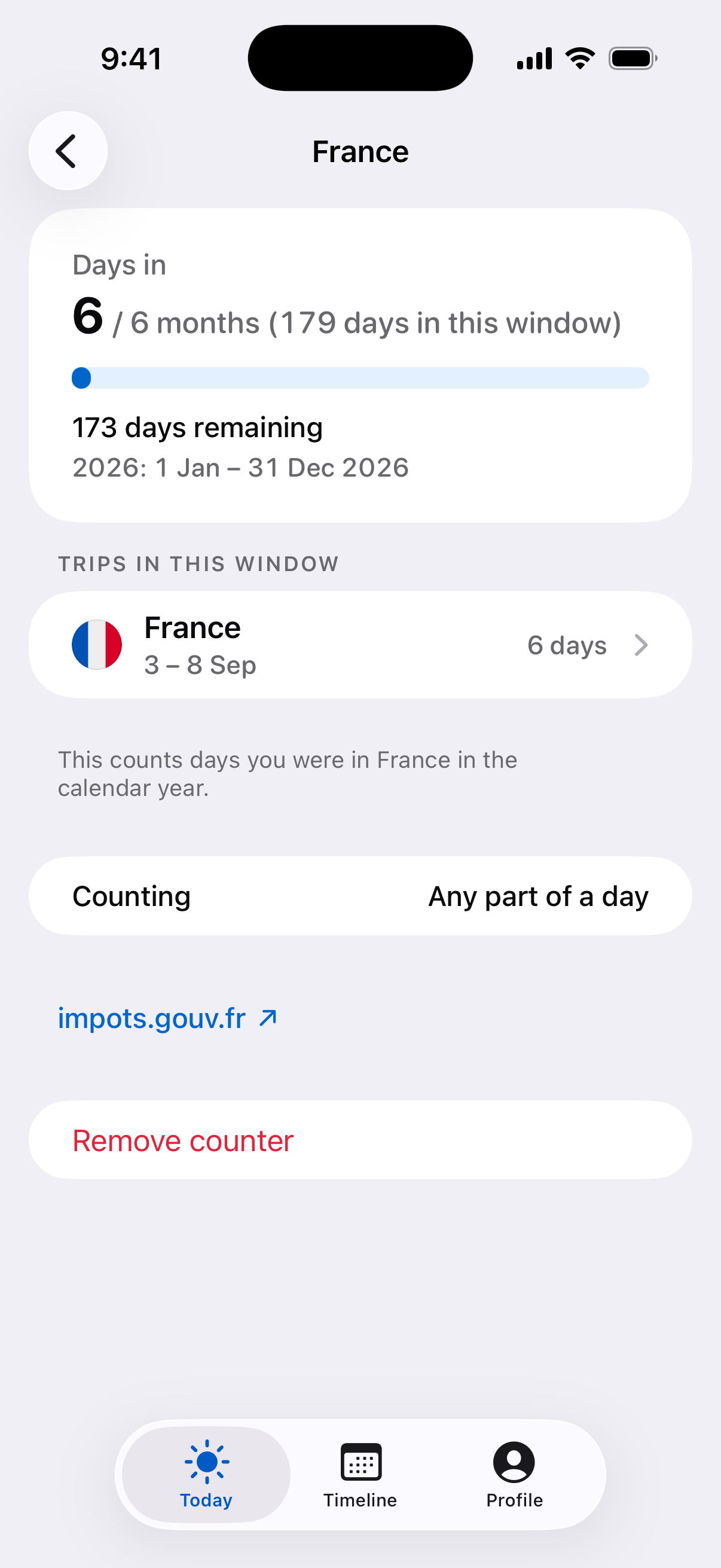
Geostay tax residency day counter for France with days in 2026 and a link to its source.

Download on the App Store

TaxBird

Good for: snowbirds, remote workers and frequent travelers who count days by country, US state or Canadian province and want planned trips shown in projected day counts.

TaxBird uses your phone's location in the background to record where you spend your time, and shows how many days you have spent in each place and how many remain before a residency limit.

What it offers: TaxBird counts your days in any country, each US state and Canadian province, and New York City. At the end of the year, it makes a report of your residency days to share with your accountant.

Consider: The CSV you can request from TaxBird is a yearly summary.

TaxDay

Good for: multi-state residents, executives who travel a lot for work, professional athletes and anyone who has to split income by the days worked in each state.

TaxDay tracks your travel in the background with your phone's GPS, checks it against the residency tax rules of every US state, and keeps a log of your taxable days in each state for your tax professional.

What it offers: TaxDay tracks your days in New York City as well as in each state. It also separates work days from non-work days, so you can allocate income state by state. You can attach receipts to your trips and export a report to share with your accountant.

Consider: Your data is kept in TaxDay's cloud storage, and you can reach it through a web portal.

Domicile365

Good for: people who live in more than one state or move between countries for work, especially anyone proving a change of domicile who wants records an auditor can verify.

Domicile365 counts your days by country, state, city, province and territory, checks them against tests such as the UK Statutory Residence Test, and lets your CPA see the counts through a read-only advisor portal.

What it offers: Domicile365 records your days automatically and counts them by city as well, New York City included. It has separate checks for Schengen, the US Substantial Presence Test, a rolling 183-of-365-day count, Puerto Rico and the UK Statutory Residence Test on the UK tax year from 6 April. It exports CSV logs and signed PDF audit logs, which can be checked on Domicile365.com to confirm the location records were not altered. Besides iOS, it runs on macOS, Android and Windows, and you can check your day counts on the website too.

Consider: Location is recorded continuously and saved in the cloud.

Flamingo Compliance

Good for: expats, digital nomads and dual residents who want multi-year tests, and flight crew who need work travel left out of their counts.

Flamingo Compliance records your location automatically and builds a travel timeline of the countries, US states and cities you visited, with customizable trackers for tax residency, domicile and visa day counts.

What it offers: Flamingo Compliance lets you set up single-year or multi-year trackers across 200+ countries, all 50 US states and New York City, for tests such as the UK Statutory Residence Test and the US presence tests. Crew Exemption Mode leaves flight crew work travel out of tax residency and permanent residency calculations. The app can also rebuild your travel history by scanning your Photo Library. It exports a customizable CSV report of every tracker. There is no account or registration, and your data is stored on your device and in iCloud.

Consider: It never tracks your precise location and works out your general location at city level.

iReside

Good for: snowbirds, second-home owners, green card holders and frequent travelers who also track visa limits and want to see their counts on a computer as well as the phone.

iReside uses GPS to count every day you spend in each US state and country, and checks those days against the 183-day rule, state residency tests and the US Substantial Presence Test.

What it offers: iReside counts NYC separately from New York State. It has the IRS's weighted three-year formula for the US Substantial Presence Test built in. It also comes with 40+ ready-made trackers, among them ESTA, Thailand, Green Card, UK ILR and UAE residence. Its PDF and CSV reports cover your day counts, residency status and full timeline. You can view all your iReside data from any browser, without your phone.

Consider: Your timeline is tied to your iReside account, which is how you recover it on a new phone.

Which residency tracking app fits you

Geostay, the app we make, suits you if you want ready-made residency rules, each with its legal source, and your history kept on your iPhone rather than in an account.

TaxBird is for snowbirds who count days in Canadian provinces as well as US states, and who want planned trips included in their projected day counts.

TaxDay is for people who live or work in more than one US state and need work days logged state by state for allocating income.

Domicile365 is for anyone proving a change of domicile, or who wants their CPA to see their day counts through a read-only advisor portal.

iReside is for anyone who wants to check their day counts in a browser as well as on their phone. Flamingo Compliance is for flight crew, with a mode that leaves work travel out of residency counts.

What a residency tracking app does

A residency tracking app runs in the background and records where your phone is each day. It counts those days against a residency rule and shows how close you are to its limit, so you are not rebuilding the year from memory, receipts or a spreadsheet.

The best-known limit is the 183-day rule: Spain, for example, treats you as tax resident when you stay there for more than 183 days in a calendar year. US states set their own limits. New York can treat you as a resident even when your domicile is elsewhere, if you keep a permanent place of abode there for substantially all of the year and spend 184 days or more in the state, with any part of a day counting as a day. If your main home is on one side of the New York state line and you keep another home on the other, the state's tax department tells you to keep a record of the days you spend inside and outside New York.

The UK Statutory Residence Test runs over the tax year from 6 April and counts a day when you are in the UK at midnight. Spending 183 or more days there in the tax year can make you resident under the automatic UK tests, and fewer days can still do it under the sufficient ties test when you have ties such as work or family.

The US Substantial Presence Test weighs three years: all of your days in the US this year, a third of last year's days and a sixth of the days from the year before that. You meet it when that total reaches 183 and at least 31 of those days fall in the current year. Any part of a day in the US counts.

The same travel day can count in one place and not in another: a day spent partly in New York or the US counts as a day there, but under the UK test it counts only if you are in the UK at midnight.

How to tell residency tracking apps apart

The first question is what the app counts, and against which rules. If you live between Florida and New York and spend weeks abroad, you want one app that records the state for each day in the US and the country for every other day, so your days toward New York's limit and toward the tests of the countries you visit come from the same record. Every app on this page records both kinds of day and warns you as you near a limit. Where they differ is in the rules they have built in. A built-in rule comes with its limit and its way of counting, so you do not have to set those up yourself for each country or state.

The second question is what the app exports when your accountant asks for a day log. A useful export has a report that summarizes the counts, a day-by-day file your accountant can open in a spreadsheet, and the tickets or receipts you attached to a trip.

The third is where it keeps your location history. Some apps keep it on the phone with no account. Others store it in an account in the maker's cloud, which lets you sign in on a new phone, open it in a browser or give an advisor access. With the history on the phone, the app's maker holds no copy of where you have been, and you send your accountant the report as a file.

Sources

Competitor details checked against public sources in November 2026.

  • Country Days Tracker: Geostay on the App Store
  • TaxBird on the App Store
  • TaxDay on the App Store
  • TaxDay website
  • Domicile365 Residency Tracker on the App Store
  • Domicile365 website
  • Flamingo Compliance on the App Store
  • Flamingo Compliance website
  • iReside website
  • iReside: Tax Residency Tracker on the App Store
  • iReside FAQ
  • IRS: Substantial presence test
  • GOV.UK: UK residence and tax
  • HMRC manual RFIG20710: Meaning of a day spent in the UK
  • Agencia Tributaria: Individual resident in Spain
  • New York State Department of Taxation and Finance: Residency FAQs
  • New York State Department of Taxation and Finance: Permanent place of abode